SmartDigitalConsulting LLC
The smart one is you … for choosing to get help from us so you can help yourself !


Impede eMail Tracking By Blocking Images

Here are some self-explanatory screen captures to familiarize you with how to do so, however, contact us if you find this difficult to do yourself:

Microsoft Outlook
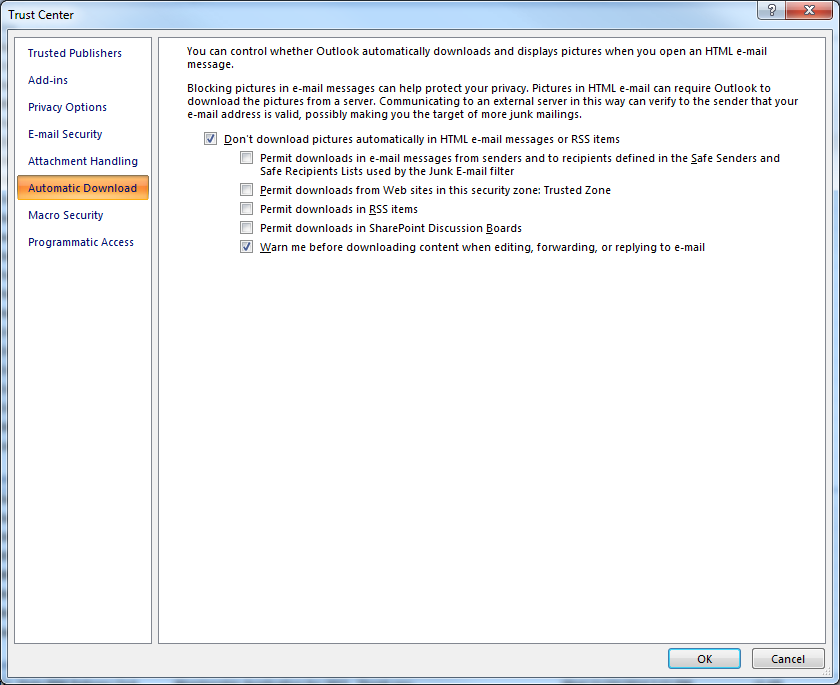
Trust Center in Microsoft Outlook — Adjust trust or security option to specify blocking downloads.
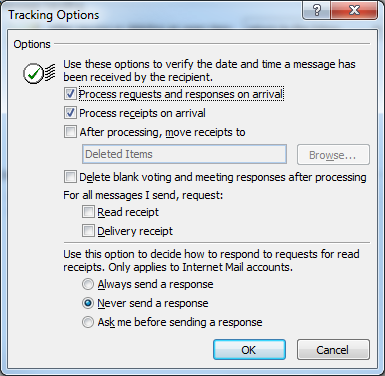
Tracking Options in Microsoft Outlook — Adjust the open tracking option to prevent read and delivery tracking.

GMAIL via Webpage using a Web Browser (Firefox, IE, etc.)
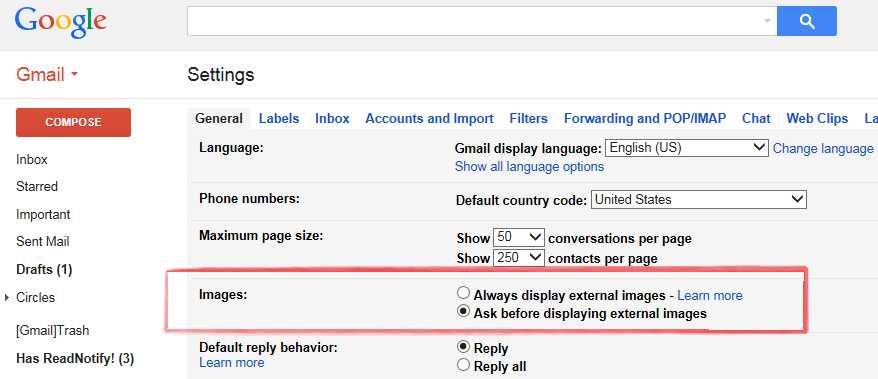
Gmail Settings — Enter the settings dialog and set the radio button to ASK, then save your settings.

Yahoo eMail via Webpage using a Web Browser (Firefox, IE, etc.)
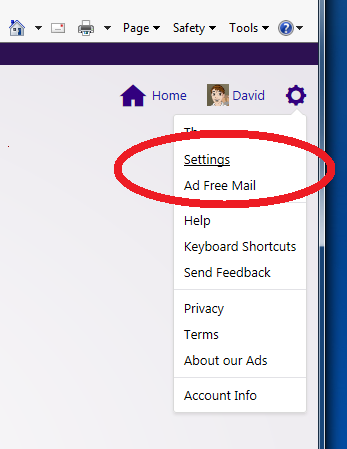
Yahoo eMail Settings Invocation — Enter settings by clicking here.
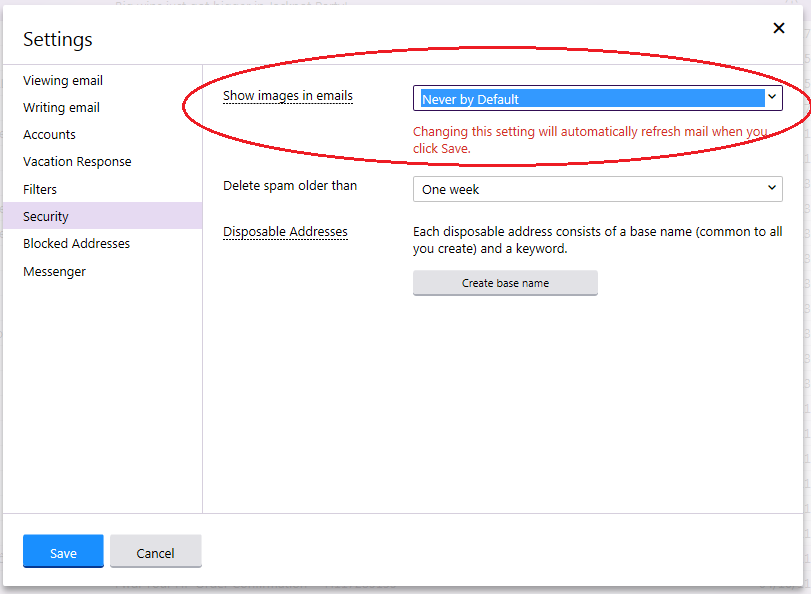
Yahoo eMail Settings Dialog — Adjust the selection as shown and remember to save the settings.

Smartphones and Other Devices Used for eMail

Contact us. We will insure that you be able to prevent image download and how to view images in email that you trust.

Facebook — SmartDigitalConsulting

Copyright(C) of SmartDigitalConsulting LLC 2013 - 2026